From DDS types to clear, review-ready documentation

DDS DocGen & DocCompare

DDS DocGen and DocCompare automatically turn DDS XML types into clear Word/PDF/HTML documents and precise change reports, reducing manual documentation work. They streamline interface reviews, highlight version differences and integrate easily into CI/CD pipelines for faster, more reliable development.

From DDS types to clear, review-ready documentation

Generate DDS documentation and comparison reports in seconds – streamline reviews and version control.

Interactive HTML documentation with search and filters

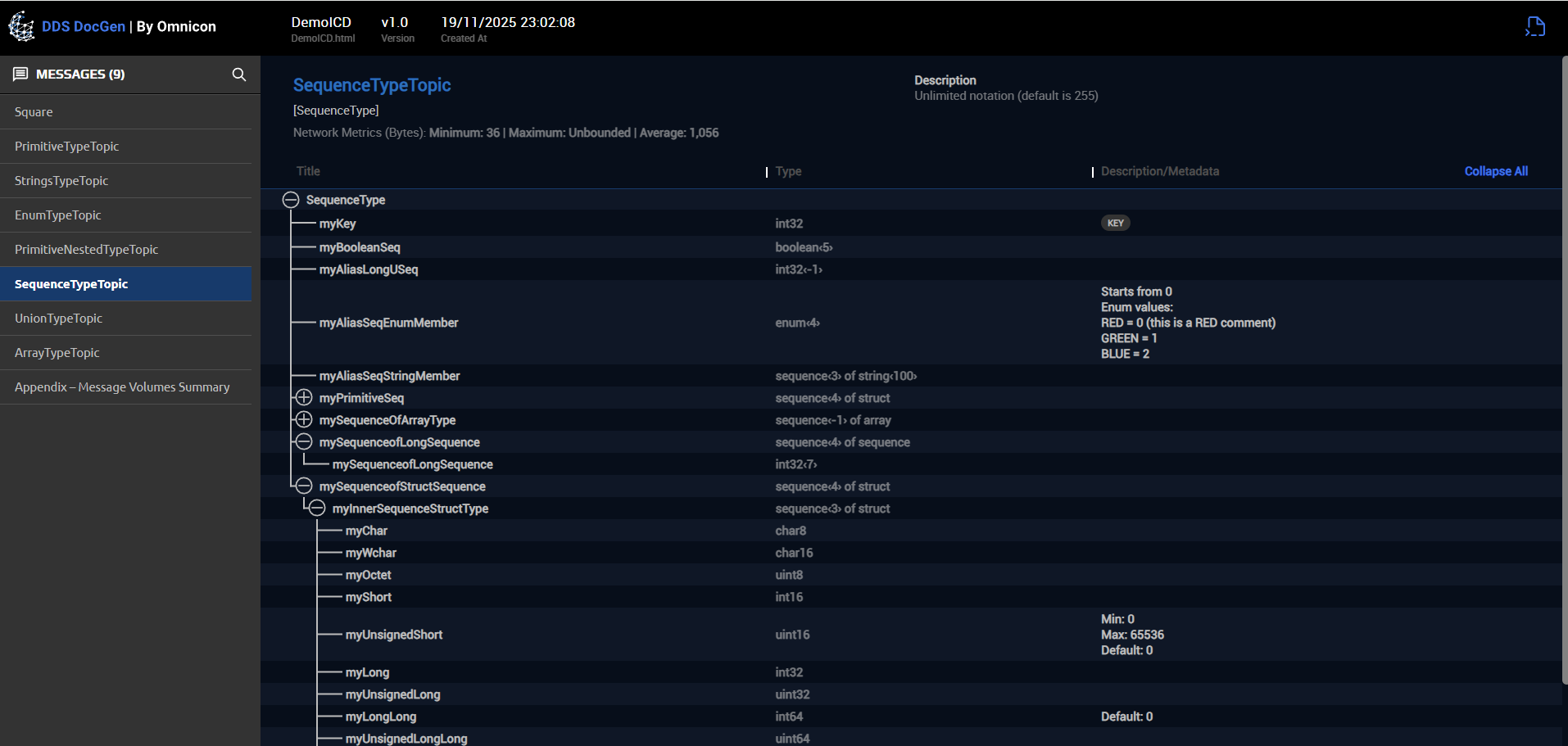
Explore DDS interfaces in an interactive HTML view with built in search, filtering and navigation.

DDS DocGen generates HTML based documentation that is easy to browse, not just read. You can filter by topic, type or field, search across the entire model and jump via hyperlinks between related elements. This makes it simple to locate specific interfaces, understand dependencies and support design and review sessions without digging through static documents.

Get a Demo
Detailed comparison reports with smart search and filtering

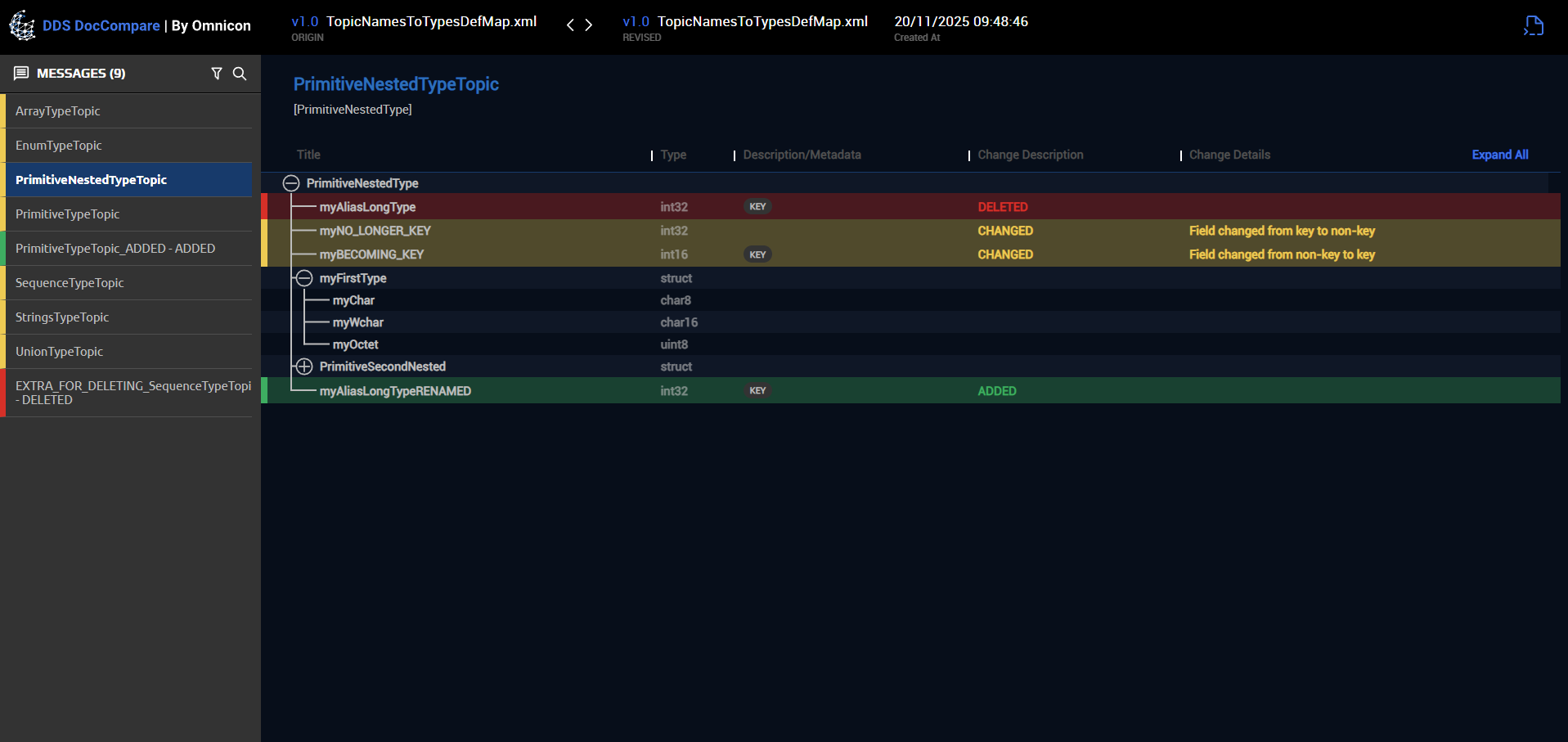
See exactly what changed between your data model versions with structured comparison reports.

DocCompare analyzes two DDS configurations and generates a focused report showing added, removed and modified types, fields and attributes. You can search and filter by type, topic or change category to quickly understand the impact of a new release. This helps teams review interface changes, manage regressions and communicate updates clearly across projects and stakeholders.

Get a Demo
Formal ICD documents in Word and PDF

Create review ready Interface Control Documents directly from DDS XML Types.

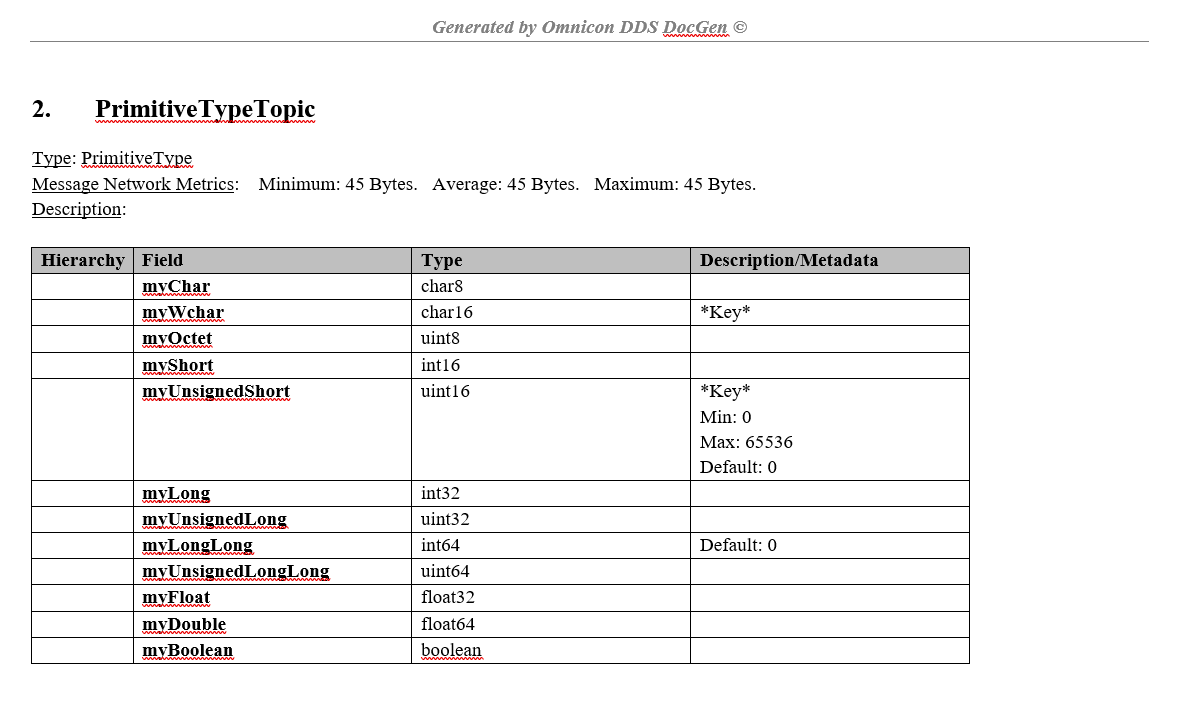
With DDS DocGen you can produce formal ICD files in Microsoft Word and PDF formats at the push of a button. The tool formats types, fields and descriptions into clear, consistent documents that match engineering and customer expectations. This eliminates tedious manual editing, keeps documentation aligned with the current DDS configuration and supports audits, contracts and certification processes.

Get a Demo
Intuitive, cross platform user interface

Use the same simple UI on Windows and Linux for generating and reviewing DDS documentation.

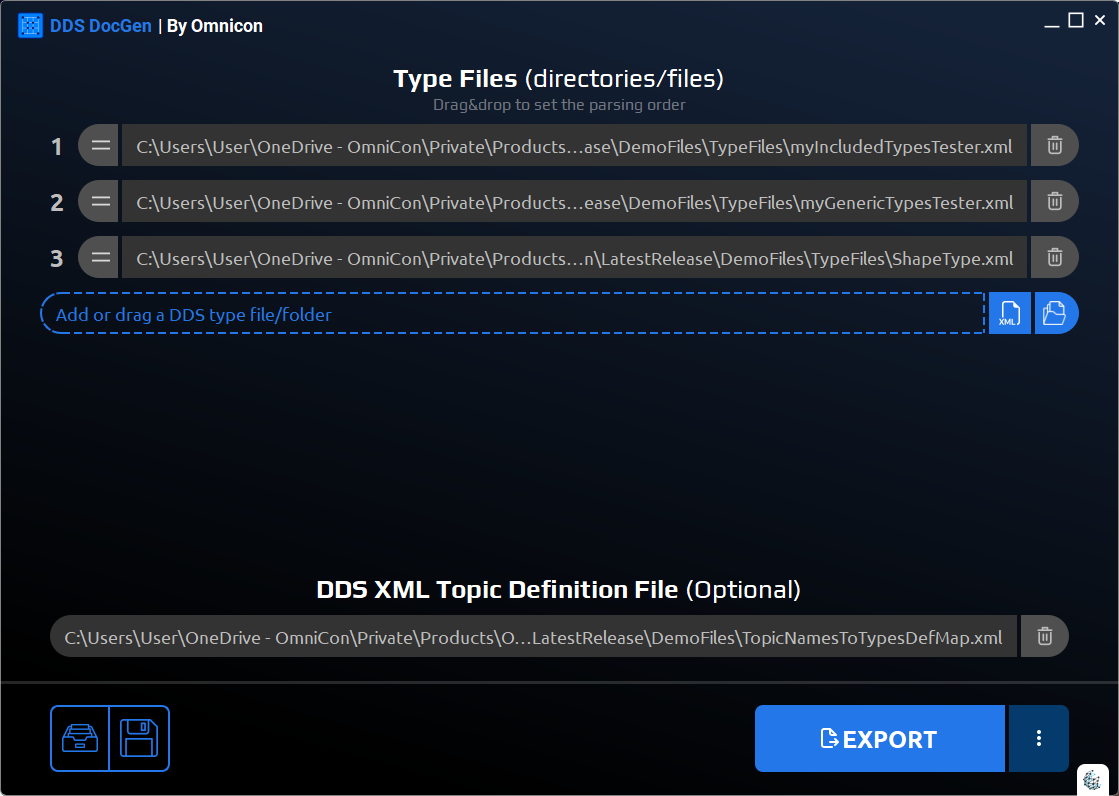
DDS DocGen and DocCompare offer a clean, guided interface that works across major operating systems. Wizards, clear menus and visual cues lead you through loading DDS files, generating outputs and running comparisons without needing to remember command line options. This makes the tools accessible to architects, developers, testers and documentation teams alike.

Get a Demo
CI/CD ready with a built in Python API

Automate documentation and comparison steps in your CI/CD pipelines using the provided Python API.

For automated workflows, DDS DocGen and DocCompare expose a Python API that lets you generate docs, run comparisons and export reports directly from your build and integration pipelines. You can automatically produce ICDs for each build, detect interface changes on every commit and attach outputs to artifacts or dashboards. This reduces manual work, improves traceability and keeps documentation in sync with the codebase.

Download via Pypi

Frequently Asked Questions

Find answers to the most common questions about DDS DocGen and DocCompare. Learn how they automate DDS documentation, highlight interface changes, and fit into your development and CI/CD workflows – all in one place.

DDS DocGen works with standard DDS XML type definitions based on the
OMG DDS-XML specification
. You can load your existing DDS XML configuration files directly, or convert IDL files to DDS-XML using your DDS vendor tools. DDS DocGen then automatically extracts the types, topics and structures needed to generate HTML, Word and PDF documentation, with no need to change your DDS setup or add proprietary annotations.

Accessibility