
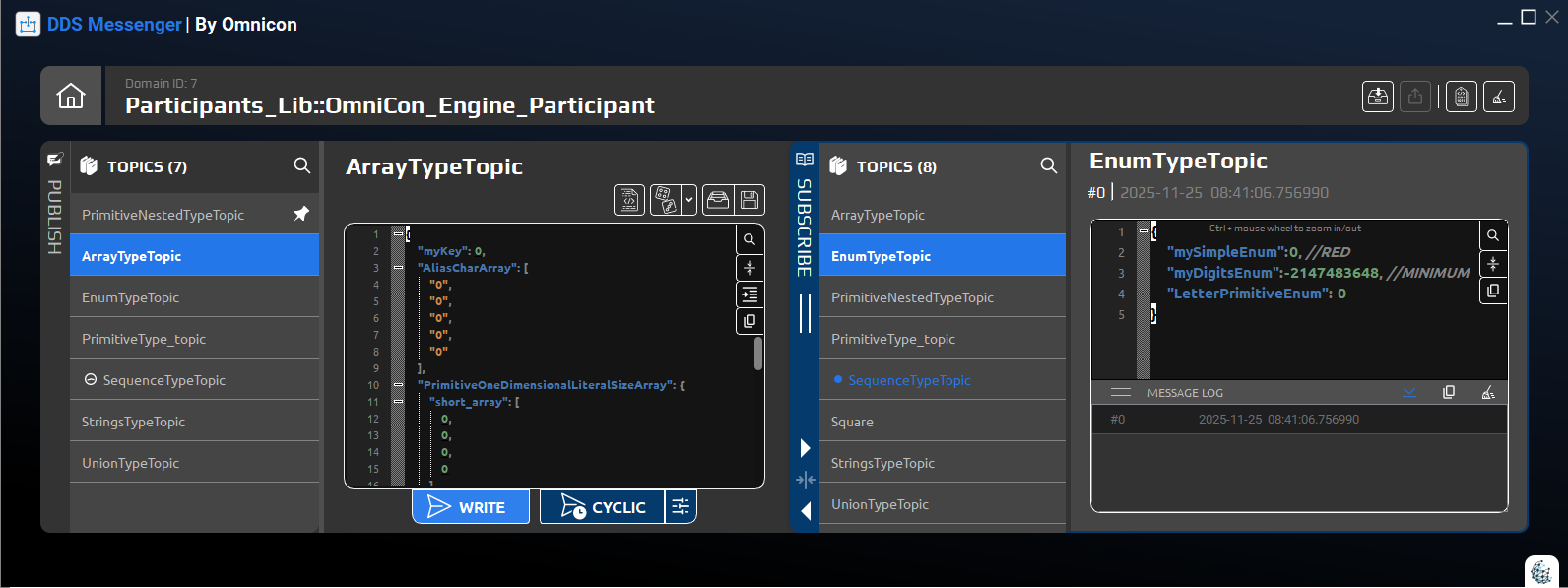
DDS Messenger – New Version Release
Simple, intuitive DDS messaging – now faster and more flexible.
We are excited to announce a new version of DDS Messenger, our intuitive tool
for designing, publishing, subscribing and validating DDS messages – without code generation
or deep DDS expertise.
This release focuses on smarter configuration, better message visualization and higher performance,
helping developers, testers and system engineers work faster and with more confidence, even under heavy load.
What’s new in DDS Messenger
1. Easier configuration with multi-file support
DDS Messenger now makes it easier to load real-world DDS configurations:
- Load multiple DDS files in one go (for example, topics and QoS in separate XML files).
- Automatically discover topics and types across all loaded files.
- No code generation or compilation required when interfaces change.
2. More control over how messages are displayed
You now have finer control over how incoming data is presented:
-
Choose how to display char arrays in received messages – as a string or as an array –
via the engine preferences menu on the top-left of the home screen. -
Use the new toggle button to show or hide metadata for incoming messages,
keeping the view clean when you just want payloads.
3. Smarter random message generation
Random traffic generation is now more configurable:
-
Control how random messages are created, including the option to generate with or without
optional parameters. - Create more realistic test scenarios that match your interface behavior and edge cases.
4. Faster and more responsive under load
We’ve made several performance improvements to keep DDS Messenger smooth and responsive:
- Faster loading times when opening configurations and starting sessions.
- Improved stability and responsiveness while handling high message rates.
- A better overall experience when working with busy DDS domains.
Who benefits from the new DDS Messenger
The new version is ideal for:
- Developers who need to quickly test new DDS interfaces.
- Test engineers running repeatable scenarios and regression suites.
- System integrators validating communication between components from different vendors.
- Teams new to DDS who want a simple, visual way to work with messages.
Get started with the new version
Ready to simplify your DDS testing and debugging?
Download the latest version of DDS Messenger from our
Downloads page, or contact us
to schedule a demo and see it in action with your own DDS configuration.

 DDS
DDS